Home
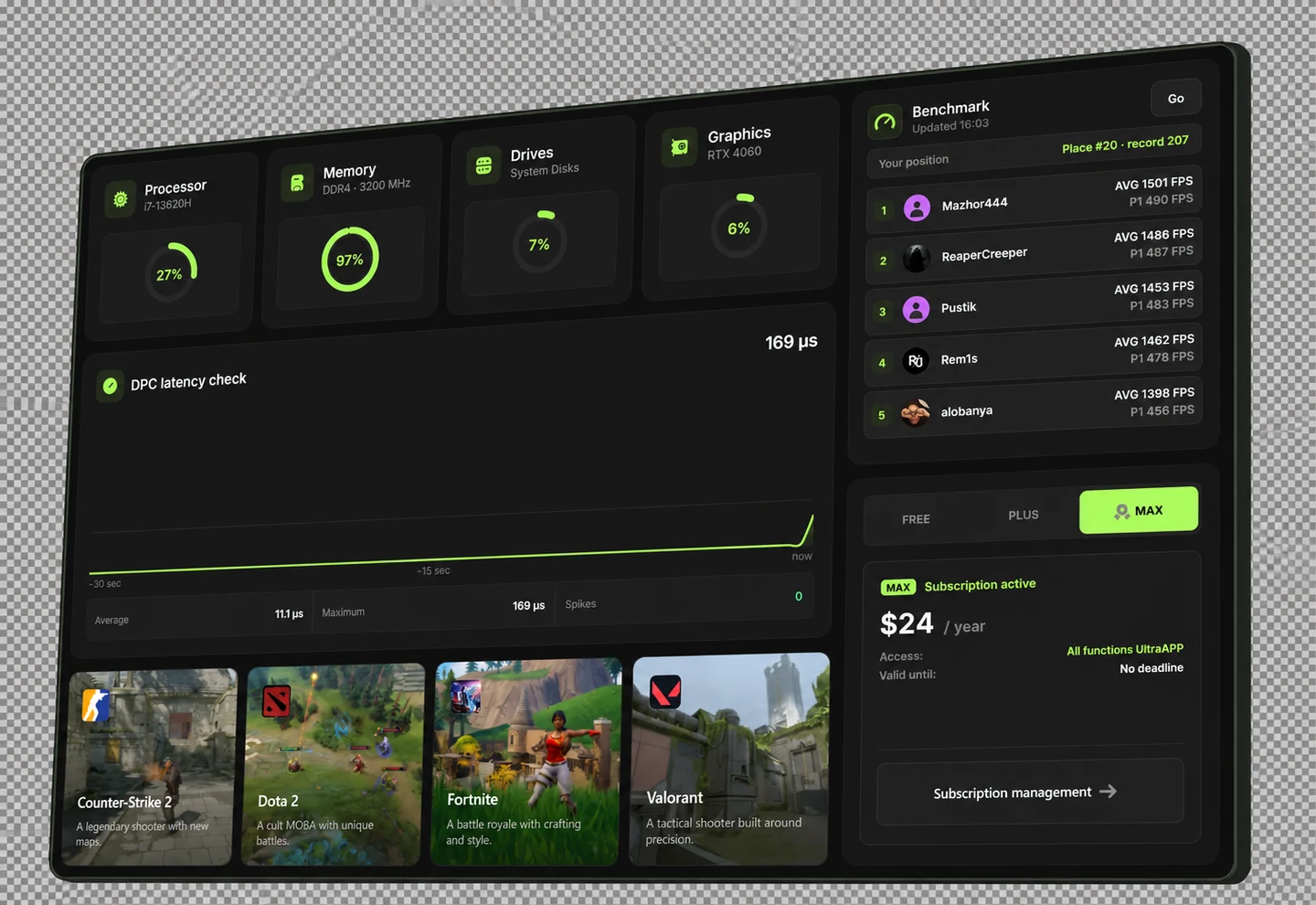
An overview of your computer, key metrics and UltraApp sections on one screen.
Free
One program — a whole system of possibilities.
About the program
Monitor your system, check performance and tailor Windows to your needs.Manage startup programs, free up space and prepare your system for your favorite games — all in one interface.
Windows diagnostics, tuning and maintenance.
An overview of your computer, key metrics and UltraApp sections on one screen.
A computer performance test with an overall score, ranking and results history.
Record gaming session metrics to assess smoothness and performance drops.
Drive health, wear and potential issues in one section.
Running programs with priority settings and profiles for different tasks.
Adjust image size and smoothness for everyday use and gaming.
Diagnose your connection to a game server and review connection test history.
Built-in and custom optimization settings for background programs in one section.
Windows settings to customize its appearance and everyday behavior.
Built-in fixes for specific Windows, device and game issues.
Manage computer power modes for everyday use and gaming sessions.
Configure how requests from audio, network and other computer devices are handled.
Reserve part of the processor for a game, separate from Windows background tasks.
Programs and tasks that start automatically with Windows.
A program catalog organized by category, with queued installation.
Search Microsoft Store programs and manage their installation through UltraApp.
Installed programs with uninstall options and a search for leftover files.
Find temporary Windows, browser and program files to free up space.
Installed games and their available settings in one section.
Check the computer security settings required by game anti-cheat software.
Free to get started. Plus and Max to get more from your system.
Windows x64 · stable release
Subscribe and manage your subscription through our Telegram.
FAQ
UltraApp brings computer checks, Windows settings, program management and gaming tools together. Instead of searching through menus, use dedicated sections for startup, benchmarking, cleanup and drive health.
Both. Startup management, installation, uninstallation, cleanup and drive checks help with everyday use. Gaming tools include benchmarks, session recording and settings for supported games.
Yes. Free has no time limit. It includes monitoring, benchmarking, startup management, Windows tweaks, basic fixes, program optimization, the store and Anti-Cheat Ready. Paid features are marked in “UltraApp features”.
Plus adds drive health, process and power management, a program catalog, uninstall with leftover search, cleanup and My games. Max includes Plus features and additional display, network and task allocation settings. Start with Free and choose a plan based on the tools you need.
The program is designed for Windows. Its source specifies Windows 10 version 2004 as the minimum; Windows 11 is also supported. This version is not for macOS or Linux. Available metrics and settings depend on your hardware.
No specialist knowledge is needed to view metrics, the program catalog or startup entries. Windows changes have descriptions. Interrupts and CPU reservation are intended for experienced users and are optional for everyday use.
Results depend on your computer, game and the cause of the issue. UltraApp does not guarantee a specific FPS increase or replace hardware upgrades. Benchmarking and live monitoring help compare performance before and after tuning under the same conditions.
Some sections let you restore defaults or disable an applied setting. Whether a fix can be undone depends on the action. There is no universal undo, and files deleted during cleanup should not be assumed recoverable.
Cleanup finds temporary Windows, browser and program files, shows their size by category and removes selected items. In Installed, you can search for leftover files after uninstalling a program. Additional cleanup requires confirmation.
This section checks computer security settings required by game anti-cheat software. It shows security status, computer information and motherboard instructions. It does not replace a game's anti-cheat or guarantee compatibility with every game.
The Download button links to the UltraApp installer. Plus and Max subscriptions are listed in “Pricing”. Contact the team and ask subscription questions through Telegram UltraCom. For help with an error, include its text and the section where it occurred.
UltraAPP is a Windows diagnostics, cleanup and tuning program by the UltraCom team. Check your computer, manage programs and free up disk space in one convenient interface.
Follow UltraCom on Telegram and TikTok. Find our official channels here.